
SharePoint & Power Platform tutorials that solve real work problems
Step-by-step fixes, formulas and examples for Microsoft 365, tested in a real tenant by Bijay Kumar, 13x Microsoft MVP.
Explore SharePoint & Power Platform
Start with the tutorials readers open most for each product, or open the guide page to see every tutorial grouped by task.
SharePoint Online113 tutorials
Lists, libraries, permissions, sharing, web parts and JSON formatting.
All SharePoint Online tutorialsPower Automate318 tutorials
Cloud and desktop flows, expressions, OData filter queries and approvals.
All Power Automate tutorialsPower Apps207 tutorials
Canvas apps on SharePoint lists: galleries, forms, combo boxes and Patch.
All Power Apps tutorialsPower BI131 tutorials
Reports from SharePoint and Excel, DAX measures, slicers and matrix visuals.
All Power BI tutorialsSeeing an error? Start here
These are the error messages readers search for most. Each fix explains why the error appears and the exact steps that clear it.
Not sure where to begin?
Pick the path that matches your job. Each one starts with tasks you are likely to need this week.
Business users & makers
Automate everyday work on SharePoint lists without writing code.
App makers
Build canvas apps on SharePoint lists with galleries, forms and formulas.
Report builders
Build Power BI reports from SharePoint and Excel data.
Video tutorials by Bijay Kumar
Prefer to watch? Follow full builds step by step on YouTube, from approval flows to Power Apps and SharePoint administration.


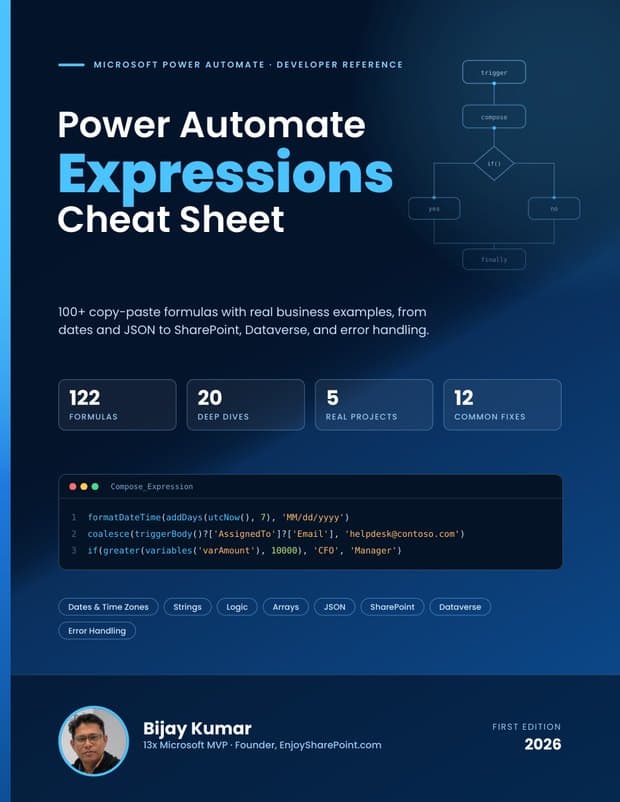
Free ebook: Power Automate Expressions Cheat Sheet
An 86-page PDF by Bijay Kumar with 122 copy-paste formulas and real business examples, from dates and JSON to SharePoint, Dataverse and error handling. Sent straight to your inbox.
- Dates, time zones, strings, conditions, arrays and JSON, each formula explained step by step
- SharePoint Person, Choice and Lookup columns, plus Dataverse lookups and filters
- Error handling with scopes, five real projects and a printable quick card
Recently updated tutorials
Tutorials are reviewed and revised as Microsoft 365 changes. These are the latest ones.
How to Change the Trigger in Power Automate (Without Breaking Your Flow)
How to Get the First Word in a String in Power Automate
How to Extract Text After a Character in Power Automate (5 Ways)
Fix “Parsing OData Select and Expand Failed” in Power Automate
How to Stop a Flow in Power Automate (Terminate, Cancel and Turn Off)
How to Remove Quotes From a String in Power Automate
How every tutorial is written and tested
Instructions that do not work waste your time. These are the rules every EnjoySharePoint tutorial follows.
Tested in a real Microsoft 365 tenant
Every flow, app and script is built and run in a working tenant before it is published. The screenshots come from that tenant.
Exact steps, not theory
Each tutorial shows the actions, expressions and settings in order, with the result you should see at the end.
Updated when Microsoft changes things
When a connector, action or menu changes, the tutorial is revised and the “Updated” date shows when.
Corrections are welcome
If a step no longer works for you, tell us through the contact page and the tutorial gets fixed.

Bijay Kumar
Bijay has worked with SharePoint and Microsoft 365 for more than 18 years, including roles at HP, TCS and KPIT. He started EnjoySharePoint to share the exact steps that solve problems in real projects, and he still builds and tests the solutions behind the tutorials himself. Microsoft has recognised his community work with the Most Valuable Professional award 13 times.
Frequently asked questions
What is EnjoySharePoint?
EnjoySharePoint is a free library of 750+ step-by-step tutorials for SharePoint Online and the Microsoft Power Platform: Power Apps, Power Automate and Power BI, plus Copilot. Each tutorial solves one specific task or error.
Who writes the tutorials?
The site is run by Bijay Kumar, a 13-time Microsoft MVP with more than 18 years of SharePoint and Microsoft 365 experience. A small team of contributors writes tutorials too, and Bijay reviews them.
Are the tutorials tested?
Yes. Every tutorial is built and tested in a real Microsoft 365 tenant, and the screenshots come from that tenant. Tutorials are updated when Microsoft changes a feature.
Do the tutorials cover SharePoint Online or on-premises?
Most tutorials cover SharePoint Online and Microsoft 365. Older articles written for SharePoint Server 2013 or 2016 name the version in the title.
Are the tutorials free?
Yes. All tutorials are free to read. The site is supported by display advertising.
Is there a video version of the tutorials?
Yes. Bijay publishes step-by-step video tutorials on YouTube, where the channel has 20.2K subscribers.
I found a step that no longer works. What should I do?
Please send the tutorial link and what you saw through the contact page. Reports like this are how tutorials stay accurate.
Still have a question? Contact us.